
Minimum order per delivery zone on Wix
How to ask for a bigger order the further you drive, on a Wix store.
Get ReachZone on the Wix App Market
Why a minimum per zone
A $15 order is worth a five-minute drive, not a forty-minute one. Wix’s local delivery can make delivery free over an amount, but it has no minimum order: a small order to the far edge of your area still goes through. With ReachZone, each zone has its own minimum, for example $15 near the shop, $30 further out and $50 at the edge.
Set it up
- Install ReachZone from the Wix App Market and open it from your site dashboard.
- Add a location and its zones, inner zones first. Give each zone a “Minimum order”, and a delivery fee and delivery time if you like. Where zones overlap, the one with the lowest priority number wins, so give the inner zone the lower number.
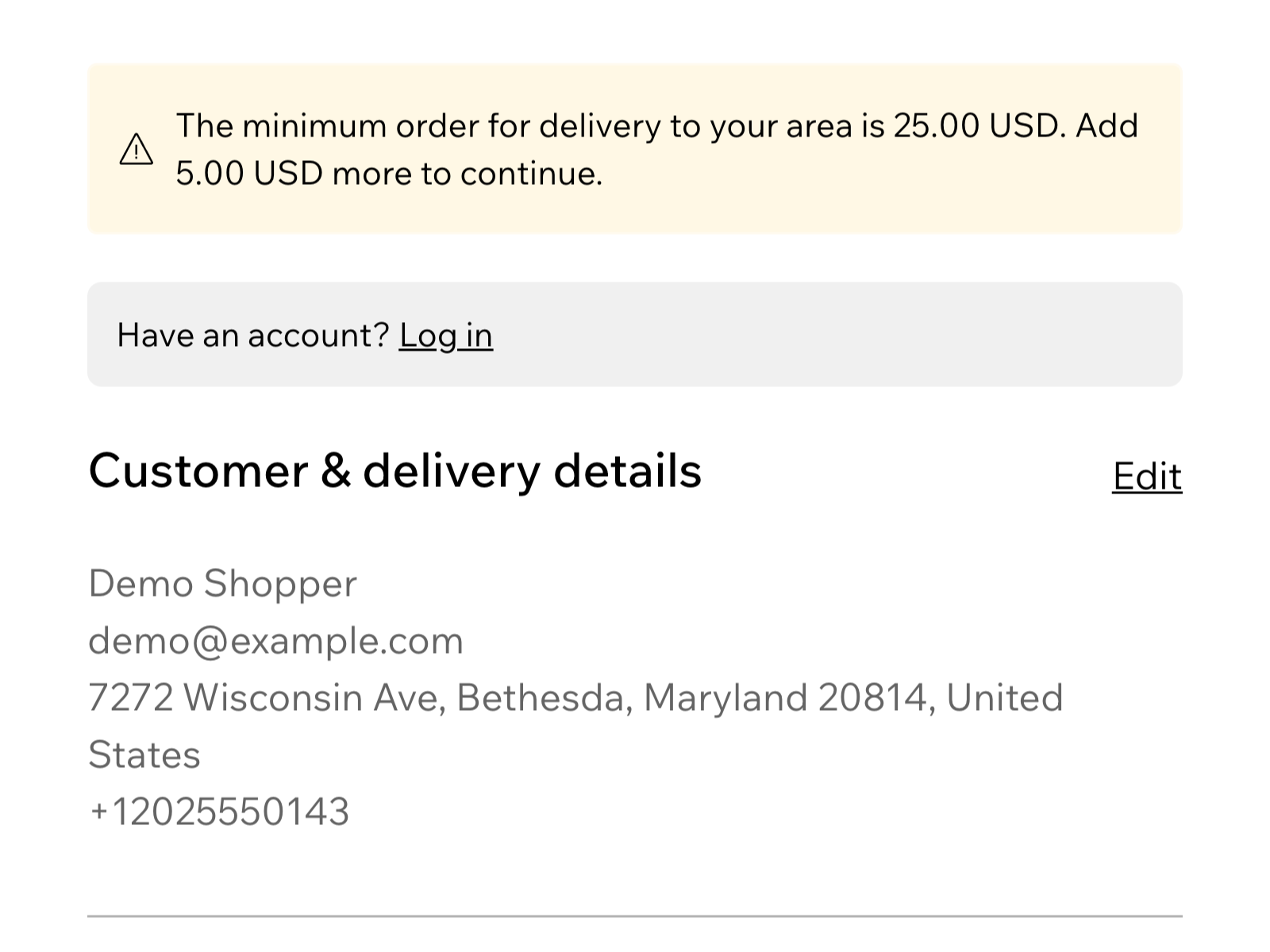
- In the Checkout section, below the map, switch on “Do not let shoppers check out below the minimum order of their zone”. The message can use {min} and {missing}, for example “Orders to your area start at {min}. Add {missing} more to check out.” Click “Save changes”.
- In Settings, then Shipping, delivery & fulfillment, switch on “ReachZone delivery zones” in each region you deliver to.
- Test on your published site with a small cart and an address in an outer zone.
Show the minimum up front
The delivery checker, which you embed on your site from the ReachZone dashboard (steps), tells visitors the minimum for their address before they shop, so the checkout message is not a surprise.
Good to know
- Wix gives the app no map point for an address, so a street address is looked up to place it. That uses your plan’s address lookups (100 a month on Free). Postcode zones need no lookup.
- If our service is slow or cannot be reached, or your lookups for the month are used up, Wix lets the order through unchecked. The app’s dashboard shows how many checks were skipped and why.
- Pickup orders are never checked.
- The full setup, with the exact names of every setting, is in the help for the Wix app.